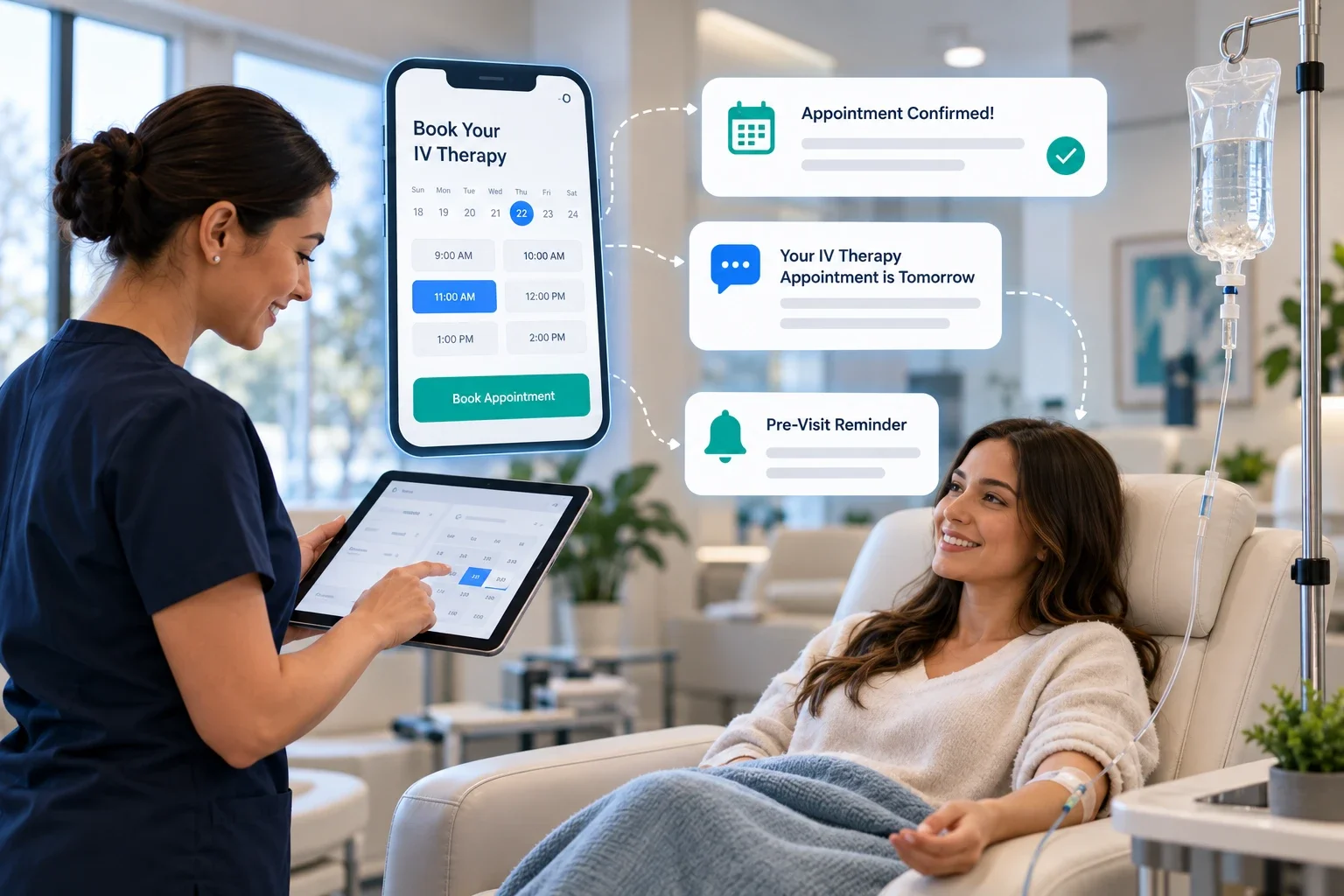
HiClinic runs IV clinic scheduling as a front-office layer. It captures booking requests, texts back missed calls, confirms appointments, and sends automated pre-visit reminders, without touching your charting or billing.
Key facts
- HiClinic is IV clinic booking software that automates bookings, confirmations, and pre-visit reminders for IV therapy clinics.
- Setup takes 7 days, staff training takes about 30 minutes, and most clinics see a first result within 48 hours.
- HiClinic works alongside the scheduling and practice management software an IV clinic already runs. It handles the front office only.
- Billing is month-to-month, with no long-term contract.
- Automated reminders and missed-call text-back recover bookings that clinics otherwise lose to voicemail and no-shows.
HiClinic is a clinic front-office platform, and IV therapy clinics use it to fill their schedule and keep patients informed before every visit.
How does HiClinic run IV clinic scheduling?
HiClinic runs IV clinic scheduling by handling every front-office step between a patient's first contact and their appointment. It takes booking requests, confirms them automatically, answers missed calls with a text, and reminds patients before they arrive.
The system covers four jobs your front desk does today:
- Booking: patients request an IV therapy appointment online or by phone, and HiClinic places the request on your calendar.
- Missed-call text-back: when a call goes to voicemail, HiClinic sends the caller a text so the booking is not lost.
- Confirmation: HiClinic confirms the appointment by SMS and email as soon as it is booked.
- Pre-visit reminders: HiClinic sends reminders and any prep instructions your clinic provides before the visit.
HiClinic sits in front of your practice management software rather than replacing it. Your team keeps its current calendar, charts, and billing tools, and HiClinic manages the patient-facing scheduling and messaging around them. You can see how the IV therapy front-office tools fit together on HiClinic's IV therapy automation page.
Why do IV therapy clinics lose bookings before the first visit?
IV therapy clinics lose bookings mostly to unanswered calls and no-shows. When front-desk staff are helping patients, incoming calls may reach voicemail, and many of those callers book with the next clinic instead of calling back.
Two gaps cause most of the loss:
- The phone gap. Front-desk staff are with patients, so calls go to voicemail. A caller who reaches voicemail rarely leaves a message and often does not call again.
- The no-show gap. A 2018 systematic review of 105 studies reported an average appointment no-show rate of approximately 23% across healthcare settings, with substantial differences by location and specialty.
Each missed IV therapy slot is an empty chair and an hour of nurse time that cannot be resold at short notice.
Missed-call text-back closes the phone gap by replying to every missed call automatically. Automated reminders close the no-show gap by confirming intent before the appointment.
How does automated IV therapy booking work?
Automated IV therapy booking works by moving the request, the confirmation, and the follow-up onto HiClinic so staff do not handle each one by hand. A patient books, HiClinic confirms, and the front desk only steps in by exception.
The booking flow runs in five steps:
- A patient requests an IV therapy appointment through your booking link or by calling the clinic.
- HiClinic checks the request against your calendar and offers open slots.
- HiClinic books the slot and sends an instant SMS and email confirmation.
- HiClinic captures the patient's contact details and consent to receive messages.
- HiClinic sends the appointment to your existing calendar so your team works from one schedule.
Because HiClinic answers after hours and during busy periods, the clinic captures bookings that would otherwise reach voicemail. For a deeper walkthrough of the workflow, see HiClinic's guide to IV therapy booking automation.
How do pre-visit reminders reduce IV therapy no-shows?
Pre-visit reminders help patients remember their appointment and provide an opportunity to confirm attendance or request a different time.
For an IV therapy clinic, a useful reminder includes the appointment date, time, location, and a clear way to contact the team or reschedule. When patients give advance notice, staff have more opportunity to offer the opening to someone else.
Each reminder does three things:
- Confirms the details. The reminder restates the date, time, and location so the patient does not miss the visit by mistake.
- Delivers prep instructions. HiClinic sends any pre-visit instructions your clinic writes, such as arrival time or preparation notes, so patients arrive ready.
- Offers an easy reschedule. If the patient cannot attend, they can reschedule from the message, and the freed slot reopens for booking.
Reminders also raise how patients experience the clinic before they walk in. Clear, timely messages are a large part of patient satisfaction, and consistent communication supports the patient relationships that matter in value-based care.
How does HiClinic handle pre-visit intake and instructions?
HiClinic handles pre-visit intake as a front-desk task: it collects the contact and appointment details the clinic needs to prepare, then delivers the prep instructions the clinic supplies. Clinical assessment and eligibility stay with your clinical team.
Before the visit, HiClinic can:
- Collect the patient's name, contact details, and appointment type.
- Capture consent to receive appointment messages.
- Send the pre-visit prep instructions your clinicians have written.
- Flag incomplete details so the front desk can follow up.
HiClinic does not perform clinical screening or charting. It moves the administrative steps off your front desk so staff spend less time on phone tag and confirmations.
How fast can an IV therapy clinic go live with HiClinic?
An IV therapy clinic can go live with HiClinic in about a week. Setup takes 7 days, staff training takes about 30 minutes, and most clinics see a first measurable result within 48 hours of switching on.
The short timeline holds because HiClinic layers onto your current tools rather than replacing them. There is no data migration off your practice management software, so the clinic keeps its calendar, records, and billing exactly as they are and adds automated booking and reminders on top.
Does HiClinic keep IV therapy patient data compliant?
HiClinic is built to support privacy compliance, and the clinic remains the party responsible for its own obligations. HiClinic handles patient contact and appointment data under your local health-privacy and data-protection framework.
Two points matter for IV therapy clinics:
- Consent for messages. Under your local anti-spam and consent laws, patients consent to receive appointment communications, and HiClinic captures that consent at booking and honours opt-outs.
- Front-office data only. HiClinic processes scheduling and contact information, not clinical charts, which keeps the data it holds limited to the front office.
Confirm your specific obligations with your privacy lead, since requirements vary by region and by the health information a clinic holds.
Does HiClinic work with the tools an IV clinic already uses?
Yes. HiClinic works alongside the scheduling and practice management software an IV clinic already runs. It adds a front-office layer for booking and communication and leaves your charting and billing systems in place.
This matters for two reasons. First, the clinic avoids a rip-and-replace project, so the team keeps the tools it knows. Second, HiClinic stays in its lane: it manages patient-facing scheduling and messaging, and your clinical and billing systems keep doing their jobs.
Key takeaways
- HiClinic runs IV clinic scheduling as a front-office layer over your existing tools, covering bookings, missed-call text-back, confirmations, and pre-visit reminders.
- Missed-call text-back recovers callers who reach voicemail, and automated reminders reduce no-shows by confirming intent before the visit.
- HiClinic handles front-office intake and prep instructions only. Clinical assessment stays with your clinicians.
- Setup takes 7 days, training takes about 30 minutes, and billing is month-to-month.
- HiClinic captures message consent at booking under local anti-spam laws and processes front-office data under privacy frameworks.
See how HiClinic can automate bookings and reminders for your IV therapy clinic. Book a walkthrough.